
For any modern organization, data is the most critical asset—yet most businesses “rent” their intelligence to cloud platforms that may use proprietary data to train third-party models. At HM Marketing, we help businesses transition from “Cloud-First” to “Local-First” to ensure total data sovereignty, security, and long-term resilience.
By moving from a cloud-locked environment like Notion to a local-first system like Obsidian, you gain a business data management system that is 100% private, works offline, and scales without recurring API fees.
This architecture is applicable to virtually any industry—from legal firms managing case precedents to engineering teams debugging internal code. Here is how you can execute this migration.
Step 1: Secure Your Data Bridge
To transfer high-stakes business data out of Notion, you need a secure internal connection.
-
Internal Integration: Create a new “Internal Integration” in the Notion developer dashboard. This generates a secret key starting with
ntn_that stays strictly within your workspace. -
Targeted Access: In Notion, navigate to the specific databases or pages you wish to migrate, click the
...menu, and select Add Connection to authorize your integration.
Step 2: The Obsidian Migration
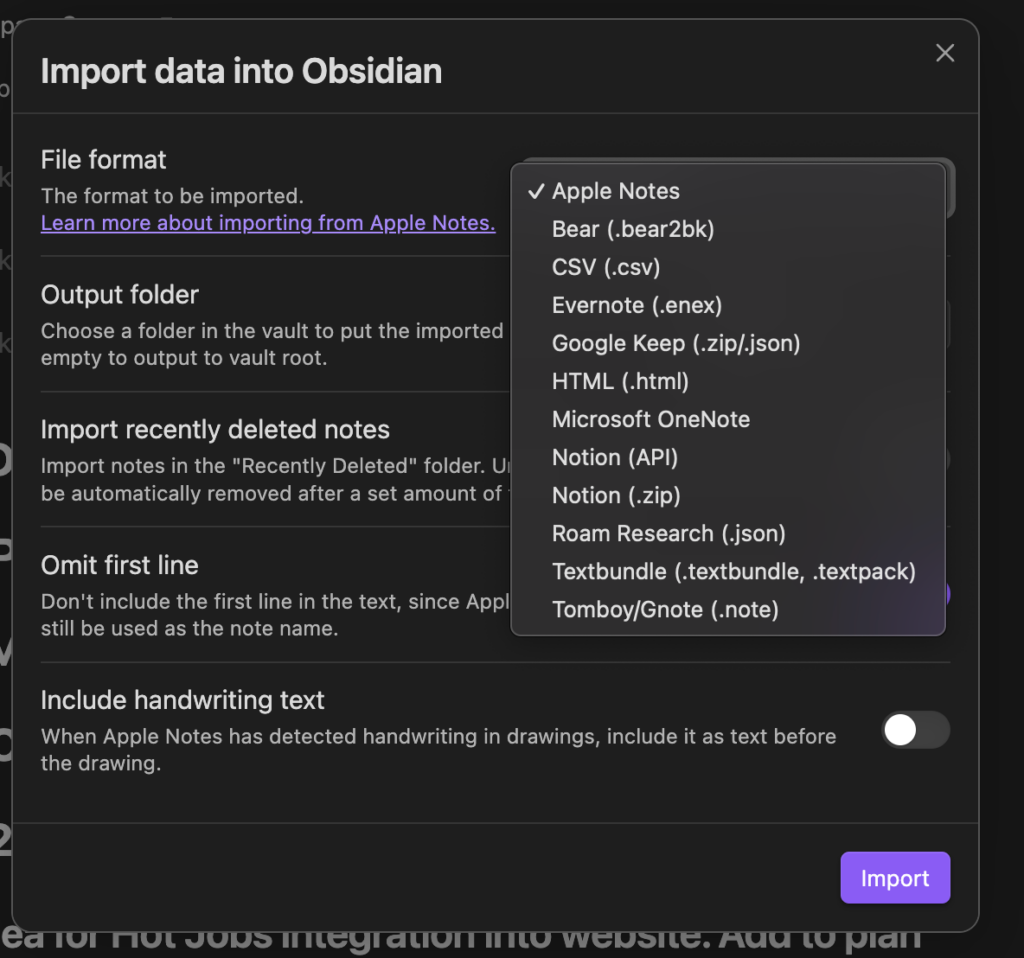
Obsidian’s Importer plugin allows you to convert complex Notion structures into Bases, maintaining your metadata, tags, and relational properties locally on your machine.
-
Installation: In Obsidian, install the Importer community plugin.
-
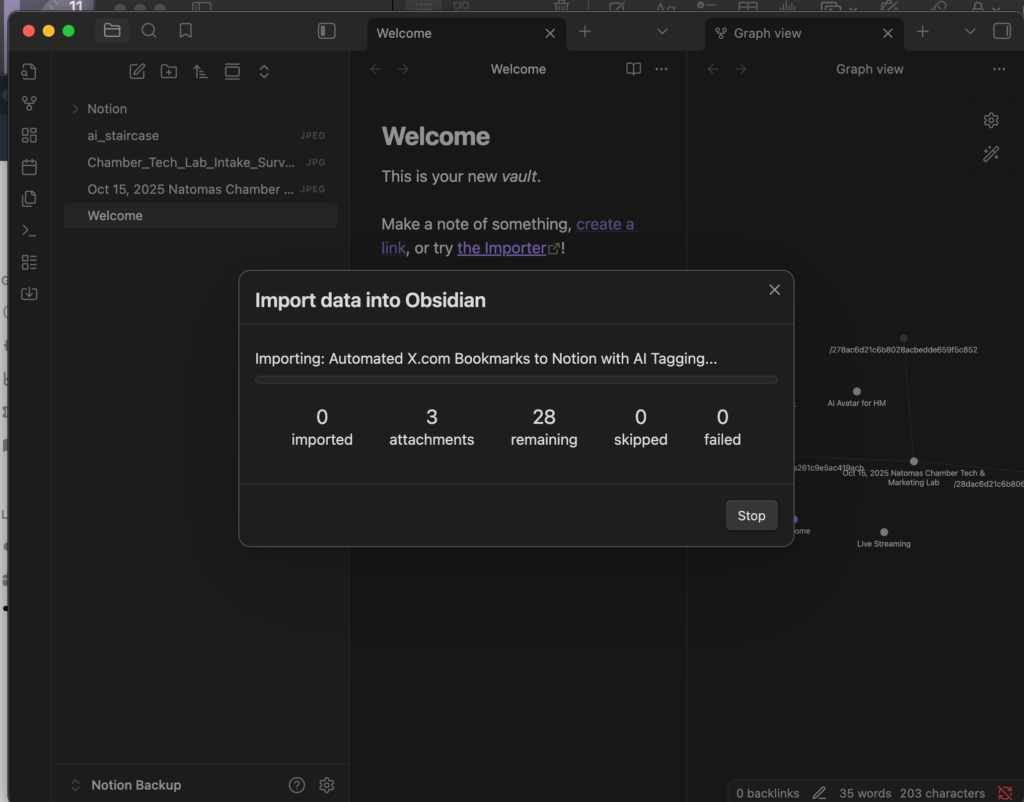
The Transfer: Open the Importer, select Notion (API), and paste your integration secret.
-
Outcome: Your data is converted into durable Markdown files. You now have full agency over your information, enabling local backups and manipulation with other programs without needing anyone’s permission.
Step 3: Integrating Private AI (Teaser)
The true power of local data management is realized when you add a “Local Brain”. In our next guide, we will demonstrate how to integrate Ollama—a tool for running Large Language Models (LLMs) like Llama 3 or Mistral directly on your hardware.
A local LLM connected to your Obsidian vault can:
-
Automate Documentation: Instantly draft reports or summarize internal technical queries.
-
Analyze Sensitive Records: Process patient histories, legal contracts, or financial risk assessments with zero risk of external data leaks.
-
Operate Anywhere: Brainstorm and research entirely offline, ensuring productivity is never tied to an internet connection.
Future-Proof Your Business Data
At HM Marketing, we build systems that empower users to maintain ownership of their digital assets. If you are ready to secure your business intelligence with a custom, private AI setup, we are here to handle the technical heavy lifting.